 India vs New Zealand 5th ODI: Why did live telecast suddenly face disruption?
 'God Save The King': Lalit Modi gets British citizenship after living in UK for years
 Iran accuses US of 'threatening to starve' people as Trump intensifies economic pressure
 Mumbai 26/11 Terror Attack: 20-year-old arrested for recce of Nariman House, foreign handlers suspected
 Ramayana box office collection day 10: Ranbir Kapoor, Yash film beats Jawan, KGF 2; earns Rs 1200 crore'God Save The King': Lalit Modi gets British citizenship after living in UK for yearsMumbai 26/11 Terror Attack: 20-year-old arrested for recce of Nariman House, foreign handlers suspected
 Punjab Bus Accident: 4 killed, 30 injured as two pilgrimage scheme buses collide in Tarn Taran
 DK Shivakumar writes to PM Modi, seeks ninth schedule protection for Karnataka's 56% quota
 Hardeep Singh Puri steps down as UP Rajya Sabha MP 11 days before term endsIran accuses US of 'threatening to starve' people as Trump intensifies economic pressure
 What changes at Nvidia after Jensen Huang's exit? Elon Musk warns of lost deals, Trump disclosed stock investments
 US-India Trade Deal By March 2027? India assured tariff advantage over competitors
 Ukraine to leave Donbas for NATO Membership? Zelenskyy reveals US question in peace talks
 Ukraine expects largest-ever prisoner exchange with Russia with over 1,000 from each side
 Microsoft Global Outage: Why did Outlook stop working? How were airlines in India affected?
 Nvidia After Jensen Huang: Will India's AI dream face chip shortage or open door for new rivals?
 Why does inflation soar to 6.09% despite falling fuel prices, US-Iran war halt? RBI's next move under focus
 UP Elections 2027: Will Asaduddin Owaisi and Chandrashekhar Azad defeat BJP or help Yogi win?
 From Nvidia CEO Jensen Huang to top officials: 5 Alleged Chinese 'honey trap' cases that shocked worldRamayana box office collection day 10: Ranbir Kapoor, Yash film beats Jawan, KGF 2; earns Rs 1200 crore
 Viral video: Newlyweds Anirudh Ravichander, Kavya Maran return to Chennai after their Greece wedding - Watch
 Veteran Telugu actor Giri Babu dies at 80 in Hyderabad; Pawan Kalyan, Chiranjeevi pay tribute
 Varun Dhawan-starrer Yash Raj Films' first horror movie locks release date in 2028
 Family Kirana Store Season 3 out on YouTube: TVF sitcom sets new benchmark, delivers three seasons in 10 months
 Tata Sons Listing Row: Why Noel Tata fears it could change Tata Group
 Who will replace Jensen Huang at Nvidia? 3 Indian-origin executives in the race
 Zee Entertainment announces Rs 600 crore share buyback at Rs 91 per share
 Who may replace Nvidia CEO Jensen Huang? THIS Indian tech executive emerged among top contenders
 When CA Mukesh Jain Tested Kwala Intel: Inside the AI market wizard that money managers now swear byIndia vs New Zealand 5th ODI: Why did live telecast suddenly face disruption?
 PM Modi congratulates India U19 team after thrilling win over Pakistan in Asia Cup 2026 final
 Vaibhav Sooryavanshi achieves a rare first at 15, creates history in T20 cricket
 IND vs PAK U19 Asia Cup final: When and where to watch match live on TV and online
 'Big brown mark on my sheets': Usman Khawaja makes shocking revelation about former Australia teammate
 Kaziranga Road Accident Update: Death Toll Rises To 24; Mini-Bus Had 13 Overspeeding Challans
 Bay of Bengal Cyclone Alert: Low-Pressure Area To Intensify By November 16; Yellow Alert In Odisha
 Microsoft 365 Outage Update: Gradual Recovery Underway After 20 Hours; Email Timeout Doubled to 48 Hrs
 Nvidia-Jensen Huang News: 'Would Be An Honor To Hire Him...' Will Musk Save Huang After Resignation
 J&K News: 'Won't Spare You...' 2 Days Before Kulgam Attack, CRPF Got Unexpected Warning By Boy
BUSINESS
It enables users—especially in households without traditional PCs—to perform everyday tasks such as browsing, editing documents and attending online classes directly on their TV screens.

Updated : Jul 14, 2025, 04:57 PM IST
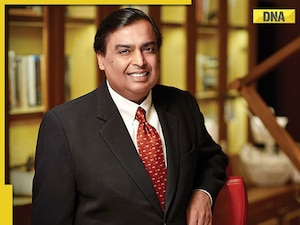
















Mukesh Ambani's Jio Platforms, a subsidiary of Reliance Industries, has introduced JioPC. This cloud-based virtual desktop service transforms any television connected to a Jio Set Top Box into a functional personal computer. The service runs entirely on the cloud and is accessed via Jio’s Set Top Box, which is available with JioFiber plans or as a standalone purchase. While external devices such as printers and cameras aren’t supported yet, JioPC is currently available on a free trial basis.
JioPC is designed to offer affordable computing by leveraging Jio’s broadband infrastructure. It enables users—especially in households without traditional PCs—to perform everyday tasks such as browsing, editing documents and attending online classes directly on their TV screens.
Users need to simply connect a keyboard and mouse to the box to interact with the virtual desktop. LibreOffice comes pre-installed, while Microsoft Office tools can be accessed through a browser. An active internet connection is required at all times for functionality.
Launch the JioPC app from the TV’s app menu.
Connect a USB or Bluetooth keyboard and mouse to the Set Top Box.
Complete the account setup by confirming your details.
Click “Launch Now” to begin using the desktop interface for work, study, or entertainment.